The HellSpin casino app is built for players who want fast access without cluttering their phones with large files. Instead of a standard downloadable app, HellSpin runs as a Progressive Web App (PWA). You can save the casino website to your home screen, open it like a regular app, and access the full platform on the go.
For New Zealand players, this setup makes practical sense. You do not need to search through app marketplaces, wait for manual updates, or worry about old versions. The platform opens with an app-like experience, updates automatically, and keeps the same core tools you get on desktop: games, promotions, cashier, profile settings, live chat, and account access.
Whether you use Chrome, Safari, or another supported browser, the setup only takes a few taps. Once added, the home-screen icon gives you direct access whenever you want to spin, deposit, claim a bonus, or join a live table.
Mobile App for Android
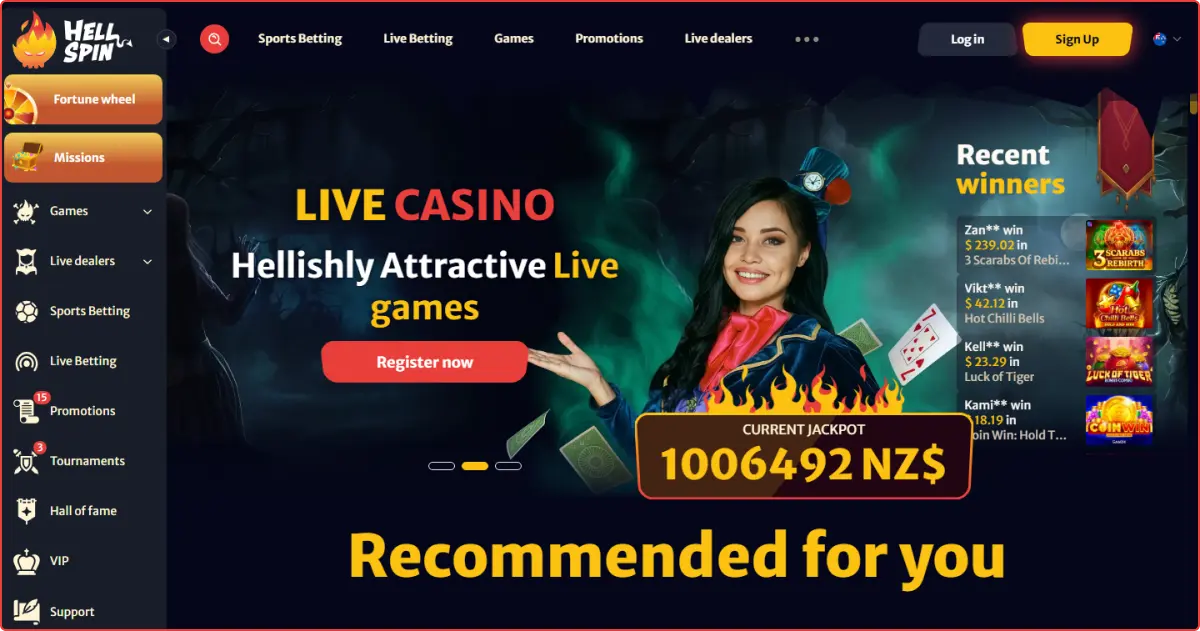
Android users get the smoothest HellSpin mobile experience through the PWA. It behaves like a lightweight app shortcut, but it still runs from the official website. This is important because there is no need to install risky third-party APKs or free up space for a large casino installer.
How to Download and Install?
To download HellSpin app safely on Android, use the official website or your browser menu:
- Open Chrome or another supported Android browser.
- Visit the official HellSpin website.
- Open the site menu and look for the “Download our app” button.
- You can also tap the browser menu and choose “Add to Home Screen” or “Install App”.
- Confirm the shortcut name.
- Tap “Add” or “Install”.
- Open HellSpin from the new home-screen icon.
This HellSpin app download method takes less than a minute. Once the shortcut is added, you can launch the casino directly.
Compatible Devices
The HellSpin app works well on most modern Android smartphones and tablets from Samsung, Google Pixel, Xiaomi, Oppo, OnePlus, Motorola, and other popular brands. As long as your device and browser are up to date, you should have no trouble accessing the platform.
For the best experience, use a recent Android version, preferably Android 10.0 or later, a stable internet connection, and at least 1 GB of RAM to load heavier casino games smoothly. Live dealer tables may need a stronger connection because they stream real dealers in real time.
Mobile App for iOS
iPhone and iPad users can install the PWA directly from Safari. The process is clean and quick and requires no extra software. Once saved, the HellSpin application opens from your home screen and feels similar to a native iOS app.
The PWA refreshes via the website, so you always use the latest available version when you log in. There are no manual updates to manage and no large files taking up storage.
How to Download and Install?
To set up the HellSpin app on an iPhone or iPad:
- Open Safari.
- Visit the official HellSpin website.
- Tap the site menu and check for the “Download our app” option.
- Or tap the Safari Share icon.
- Choose “Add to Home Screen”.
- Confirm the shortcut name.
- Tap “Add”.
- Launch the casino from your home screen.
This setup keeps everything tied to the official website. After that, simply log in or create an account to start playing.
Compatible Devices
Most modern iPhones and iPads running iOS 14, iPadOS 14, or later can access the platform via Safari. For the best HellSpin app experience, use the latest version of Safari, a stable Wi-Fi or 4G/5G connection, and a newer device for smoother loading, sharper visuals, and better live streaming.
The PWA is designed to adjust across different screen sizes. Portrait mode works well for browsing and cashier access, while many games also support landscape play for a wider view.
Features of the HellSpin App
The HellSpin PWA keeps the mobile experience close to the desktop experience, with key casino tools packed into a compact, touch-friendly layout.
Key features include:
- Quick home-screen access
- Mobile-optimised menus
- Secure login and cashier tools
- Automatic platform updates
- Access to all slots, live casino, table games, and instant games
- Bonus and promotion activation
- Profile and verification settings
- Live chat support
- Portrait and landscape gameplay
- Smooth streaming for live dealer titles
With the PWA, players can stay logged in between sessions, making return visits much faster. Instead of entering their credentials each time, they can tap the app icon and resume where they left off. Slots load smoothly, live tables adapt to your internet speed, and the cashier is available whenever players want to deposit or withdraw funds.
Navigation also feels natural on mobile. Menus are easy to tap, game categories are simple to browse, and key sections like promotions, support, account settings, and banking are never hard to find.
Registration Process via the HellSpin App
Creating an account through the HellSpin PWA is almost the same as registering via the desktop site. Open the casino, tap “Sign Up”, and follow the guided form.
New players usually need to enter an email address, create a password, choose New Zealand as their country, select a currency, and provide a mobile number. The next steps ask for name, date of birth, gender, address, city, region, and postcode. If you have a promo code, enter it in the code field before finishing the form.
Once registration is complete, you can enter the lobby, visit the cashier, and choose an eligible welcome offer. It is also smart to complete account verification early. HellSpin requires verification before withdrawals, so doing it early helps avoid delays later.
The login process is simple, too. HellSpin uses email and password access. Social login and phone number login are not available, so keep your registered email safe and use the password reset option if needed.
Mobile Website Version
HellSpin also works smoothly through its mobile website, giving players full access from Chrome, Safari, or any other supported browser. Just visit the site, log in, and start playing without adding anything to your device.
The mobile website carries the same core experience as the PWA. Players can browse games, use the cashier, claim promotions, contact support, and manage their accounts from a responsive layout built for smaller screens.
The PWA is more convenient for regular play because it opens directly from the home screen, while the browser version is better suited to quick sessions, temporary access, or shared devices.
Mobile Games
The HellSpin casino library is built for touchscreen play. You can explore video slots, classic slots, bonus buy games, Hold and Win titles, Megaways releases, jackpot games, instant-win games, roulette, blackjack, baccarat, poker, and live game shows.
Slot fans can browse by provider, category, RTP, active players, or theme. Demo versions are useful if you want to test a game before spending real money. Live casino players can join streamed tables with real dealers, while game shows add a more energetic format.
Because everything runs through the browser, games automatically adjust to your screen size. This makes the experience easy, whether you are playing during a short break or settling in for a longer session.
Frequently Asked Questions
No. You do not need to download HellSpin APK from any third-party website. HellSpin works as a PWA, so the safer option is to install the home-screen shortcut from the official website.
Yes. Android players can use Chrome or another supported browser, while iPhone and iPad users can use Safari. Both setups create a home-screen shortcut that opens the casino quickly.
Yes. The mobile website gives access to the same games, cashier, promotions, and support tools. The PWA is simply more convenient if you want one-tap access from your home screen.

 nz
nz